Platinum Trucks & Equipment
The slow website was the symptom. The business needed stock kept in one place and leads kept in another, and neither existed.
- Role
- Designer, Full-Stack Developer
- Year
- 2024-2026
- In production
- Live
The fix for the slow site, the scattered stock, and the leaking leads was one system, built end to end by one person.
- Problem
- Stock lived in a spreadsheet, Facebook posts, and printed sheets, and the website took 3 to 5 minutes to load.
- Built
- One live catalogue, one admin back office, and a single inquiry pipeline, designed and built solo.
- Result
- Live and in daily use. Every unit gets published once, and every lead lands in one place.
Platinum Trucks & Equipment imports Japan-surplus cars, trucks, and heavy equipment in the Philippines. Buyers browse first, then ask, and there's no cart or checkout anywhere in that path.
A prettier brochure site would not have fixed anything. The scattered way of selling had to collapse into one live catalogue and one lead pipeline.
Post, re-upload, print, answer again.
- Spreadsheet inventory
- Facebook posts, one unit at a time
- Printed spec sheets
- Messenger, comments, calls, text, and walk-ins
Enter a unit once and follow up in one place.
- One public catalogue
- One admin back office
- One inquiry inbox
- One pipeline: new, read, contacted, negotiating, won, or lost
Stock was scattered and nothing caught the leads.
Load times ran three to five minutes. Every buyer who quit waiting was a lead the business could not even count.
Inventory lived in a hand-kept spreadsheet, one-off Facebook posts, and printed sheets handed door-to-door.
Spreadsheet, posts, and printouts fell out of sync, so staff kept answering questions about trucks that were already sold.
Facebook comments, Messenger, calls, texts, walk-ins, midnight DMs, and missed calls had no shared place to land.
Stop making staff do the same work twice.
- 01
Publish the unit once
A staff member enters the vehicle once in the admin CMS (the back-office editor staff use themselves), then the catalogue, unit page, recent arrivals, and sitemap update from that record.
- 02
Let buyers filter current stock
Category pages filter by maker, model, body, fuel, condition, and status. The filters live in the URL, so staff can send a filtered view straight to a buyer.
- 03
Send every lead to one board
Each form submission lands in one inbox, tagged with the source page and, on unit pages, linked to that unit.
A buyer side, a staff side, and the system between them.
- Public catalogue
One current place for stock, so the loop of reposting units on Facebook stops.
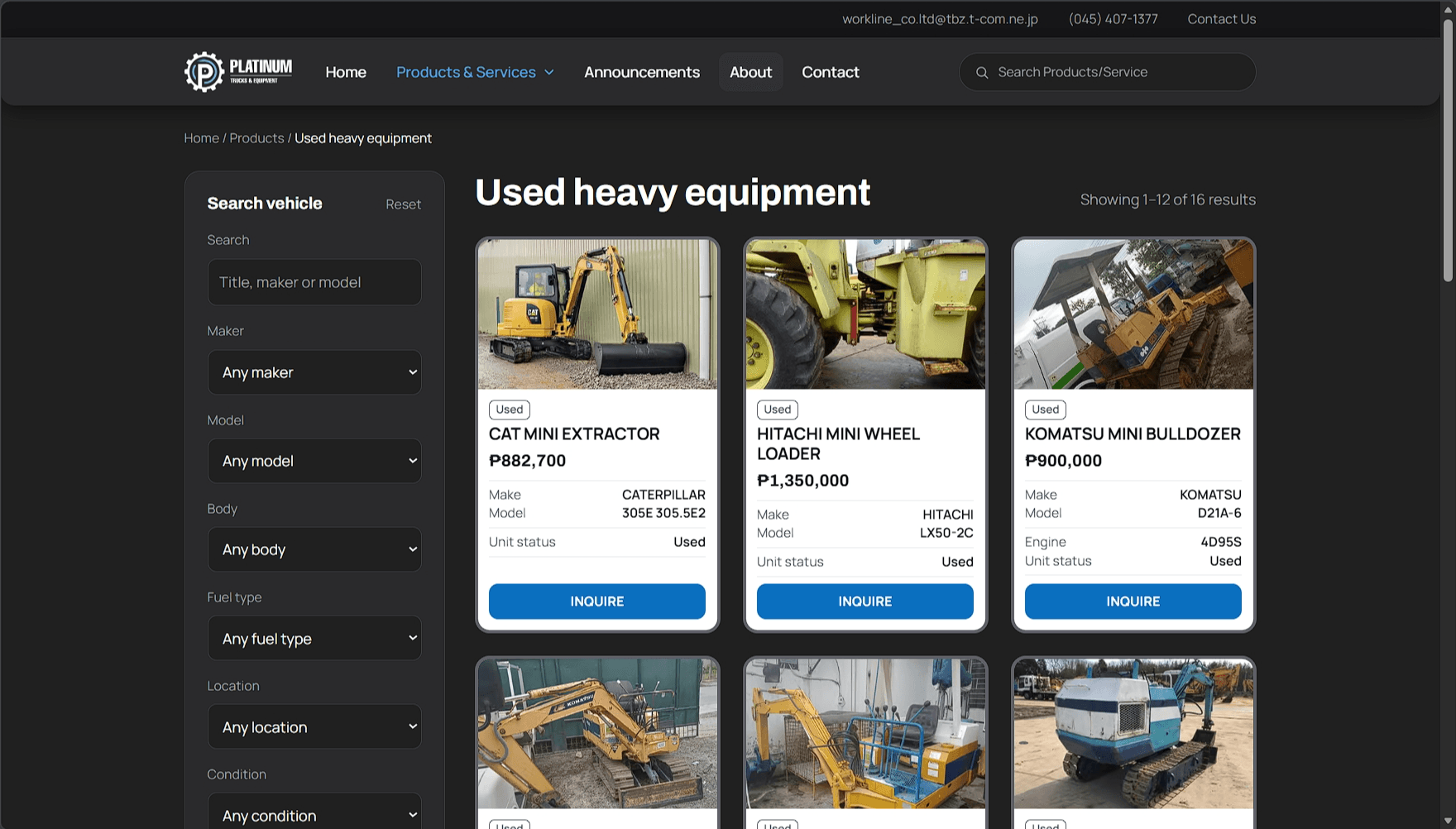
Category page with maker, model, body, fuel, condition, and status filters held in the URL. - Unit pages
Specs, price or inquire-for-price, an image carousel, and a form tied to the exact unit.
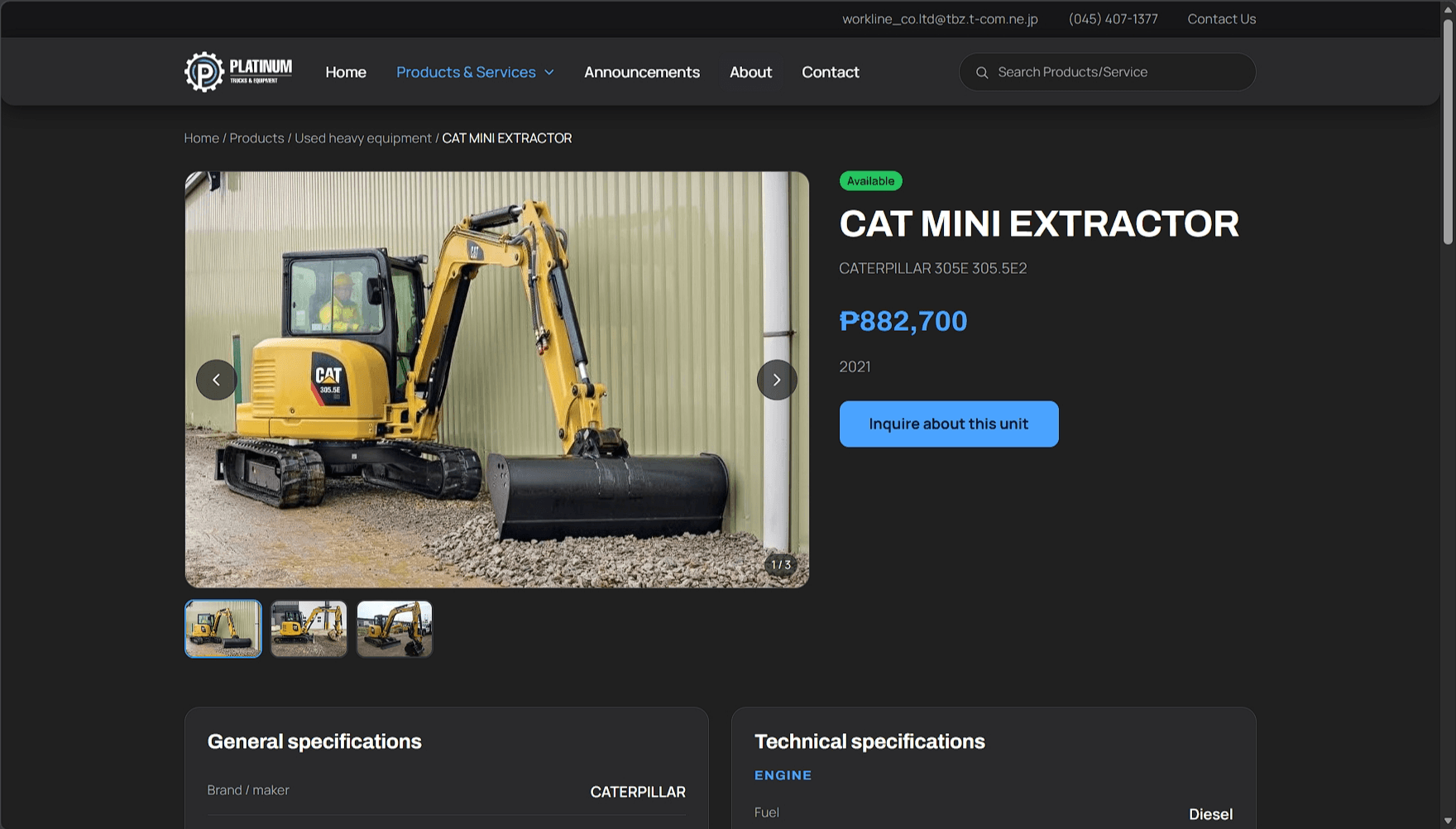
Unit page header with status, price, image carousel, and unit-specific inquiry action. 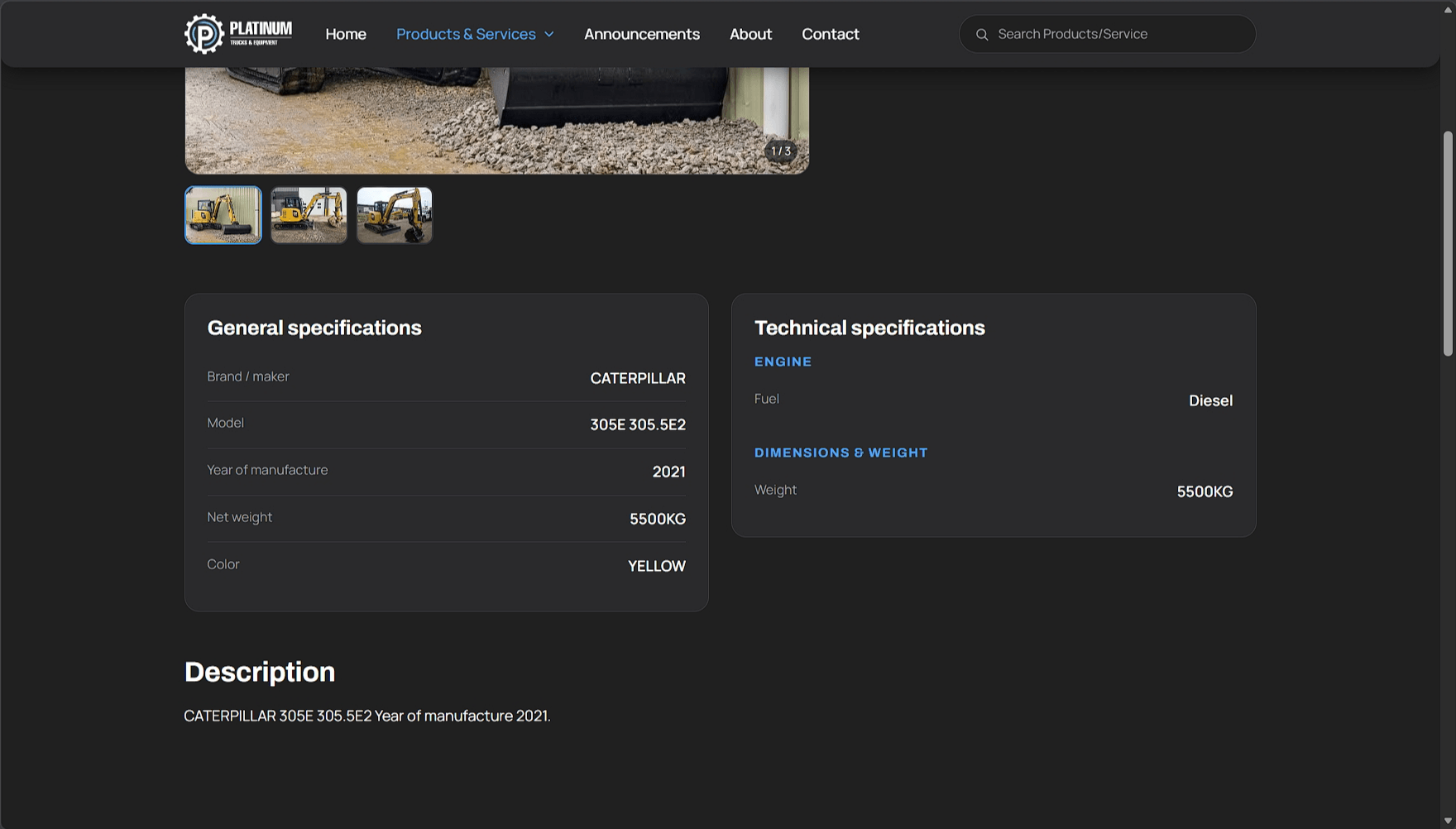
Unit page specifications: general details and technical fields below the carousel. - Inquiry board
A plain board for new, read, contacted, negotiating, won, or lost.
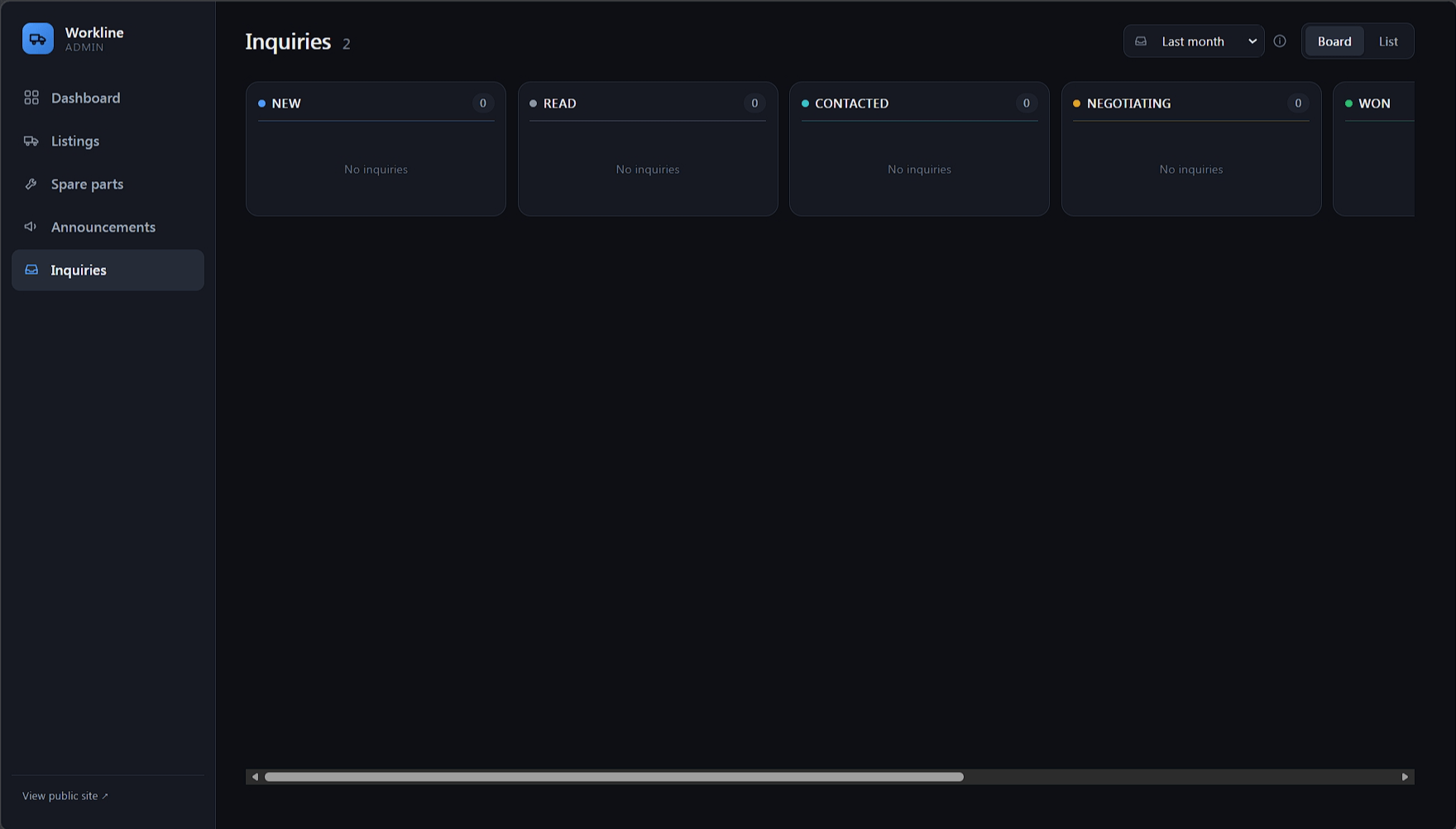
The inquiry inbox. Each submission carries its source page and status. - Admin back office
Five sections for stock, images, spare parts, announcements, and lead handling.
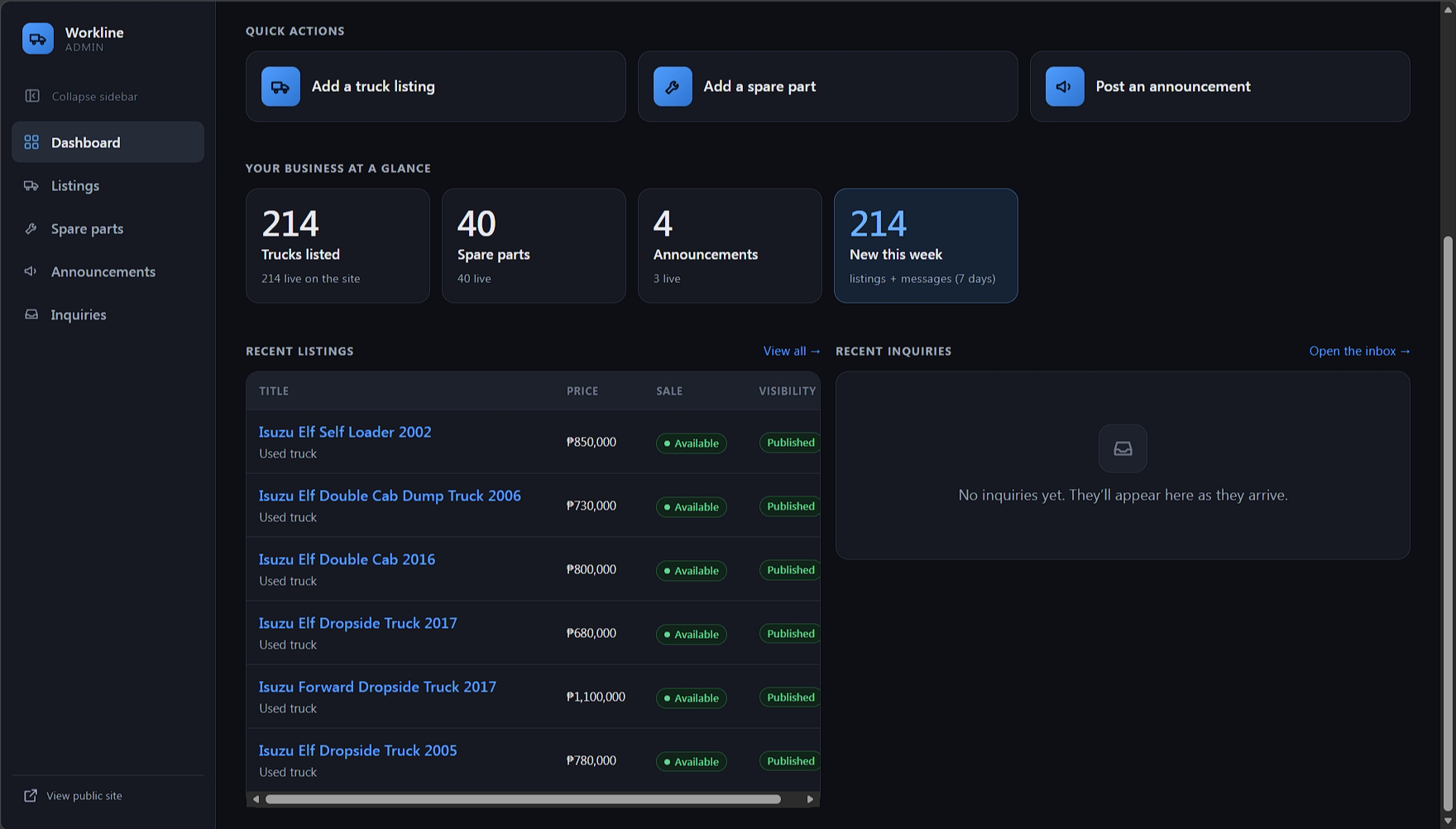
The landing screen: quick actions, live stock counts, and the week's new listings and messages. 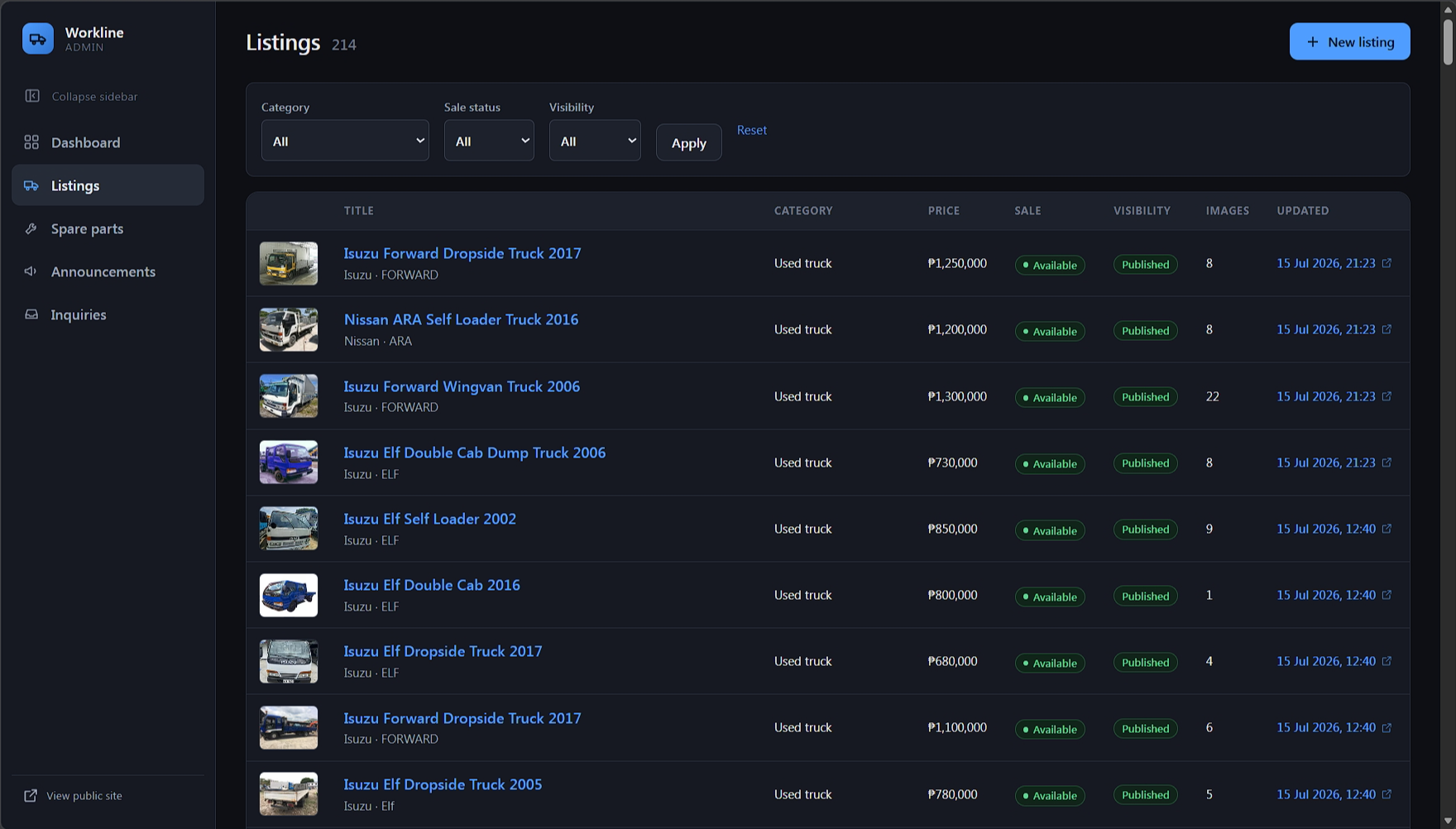
The listings index, where staff filter by category, sale status, and visibility. Each row updates the catalogue, unit page, recent arrivals, and sitemap.
Serverless, and lean enough for a family business to run alone.
The build runs serverless on Cloudflare, so there is no server for the family to maintain. The public forms have spam protection, staff login happens at the edge, and the sitemap comes from the database instead of a static file that goes stale.
- Public catalogue of about a dozen page types.
- Five-section admin back office.
- Five database tables.
- Serverless on Cloudflare.
- Staff login handled at the edge, so the app stores no passwords.
- Public forms with spam protection.
- Sitemap built live from the database.
The system is live and staff use it every day.
Staff enter each unit once and it publishes everywhere. Leads all land in the same inbox, so staff can see open deals, where each one stands, and which unit or page started the conversation.
The current work is a rebrand: Platinum is moving to Workline International, with a new domain and brand colour. The old address will redirect to the new one so the search ranking carries over.
- Live In production and in daily use
- 1 catalogue Public stock plus admin CMS
- 1 pipeline Every inquiry caught in one place
What's on the bench right now.
The site is in daily use, so the work never fully closes. These are the problems currently undergoing UI/UX research and development. Open a card to read where each one stands.
Turn whatever staff already have into a database record
- Accept the inputs staff actually hold, a photographed receipt or an XLSX sheet, and convert either into a DB-compatible record.
- Have the program show what it parsed and ask whether this should go into the database, before it writes anything.
- Autofill the listing editor from the parsed input instead of retyping every field.
- The goal underneath all of it is making the upload of cars, trucks, and heavy equipment faster and harder to get wrong.
Where should this live: a separate internal app, a tool inside the web admin itself, or a local app on the office machine?
Make the journal findable and tie the site to Facebook
- Improve the journal's SEO ranking and the site's overall search visibility.
- Build a method that links the site to the Platinum Facebook page, where the buyers already are.
- Document each working session, so this case study stays current with the work.